Group-Office module to manage mailboxes in the database
At the moment this is only possible with the Debian / Ubuntu packages.
When Group-Office is already installed you can run:
apt-getinstallgroupoffice-mailserver
When this command is finished login to Group-Office as admin and install the
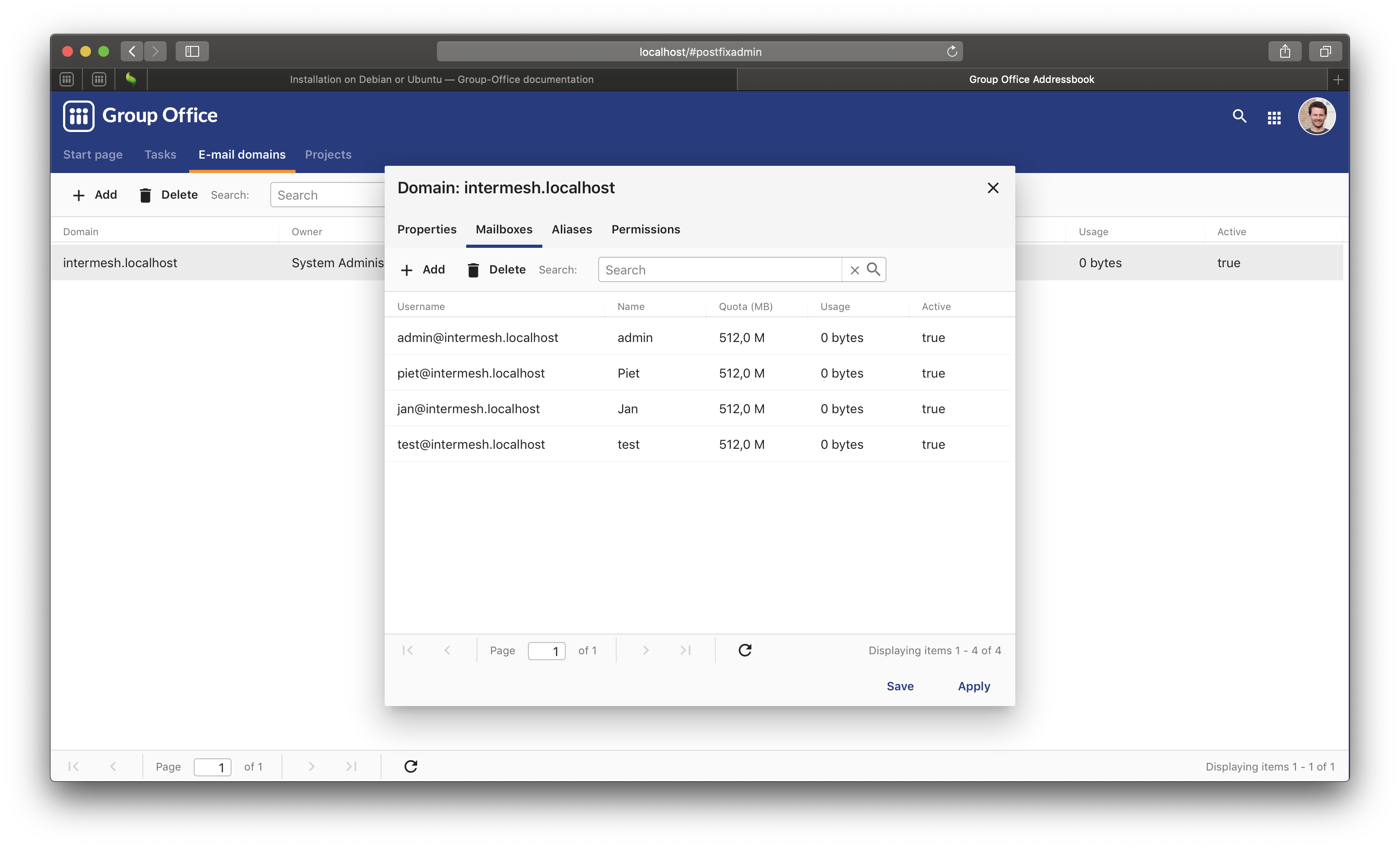
“E-mail domains” module. In this module you can manage the domains, mailboxes
and aliases.
Synchronize mailbox passwords when you set a new Group-Office password.
Install the module at Start menu -> modules
Then edit /etc/groupoffice/globalconfig.inc.php or create it if it doesn’t exist:
<?php$config=[// GO will connect to this installation to add a mailbox. It is the full url to the Group-Office installation with the postfixadmin module installed.'serverclient_server_url'=>'http://localhost/groupoffice/',// A token to authenticate. The token has to be identical on the web and mail server. By default they are the same server so you can just set anything here.'serverclient_token'=>'someSecureTokenOfyourChoice',// Comma separated list of mailbox domains'serverclient_domains'=>'intermeshdev.nl',// The email account properties that will be added for the user'serverclient_mbroot'=>'','serverclient_use_ssl'=>false,'serverclient_use_tls'=>false,'serverclient_novalidate_cert'=>'0','serverclient_host'=>'localhost','serverclient_port'=>143,'serverclient_smtp_host'=>'localhost','serverclient_smtp_port'=>25,'serverclient_smtp_encryption'=>'','serverclient_smtp_username'=>'','serverclient_smtp_password'=>''];
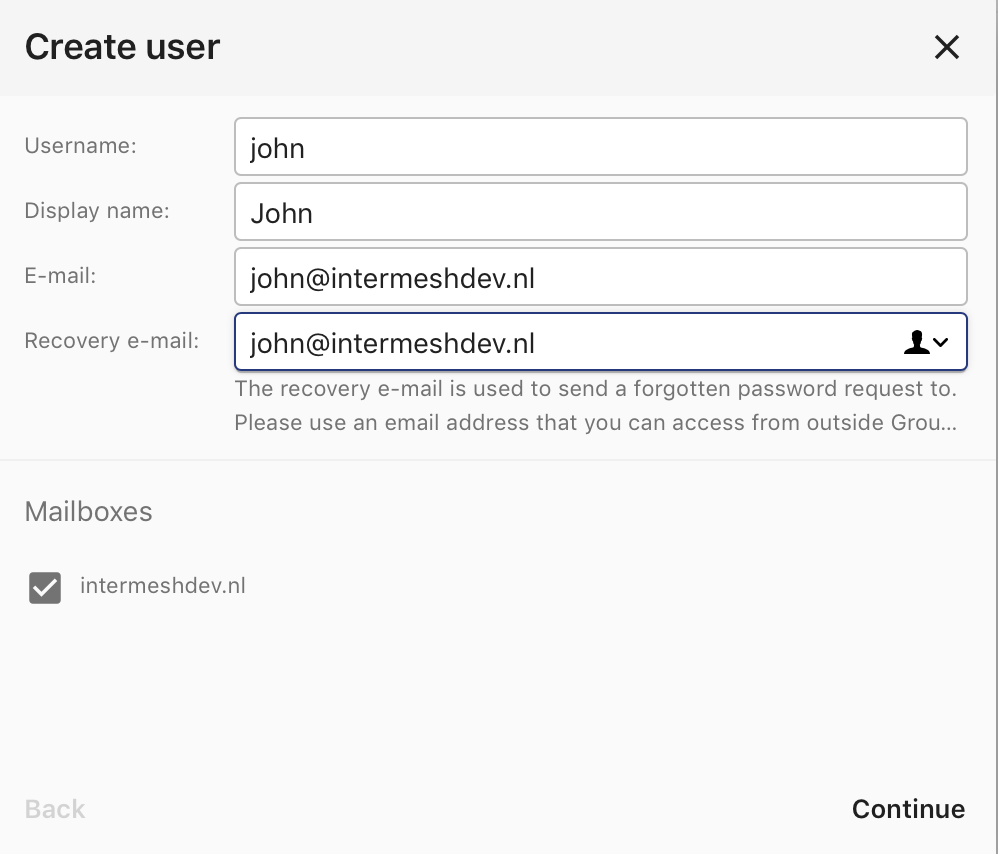
Now when you create a new user you have the option to create:
<username>@intermeshdev.nl
And when you set your password this account will be updated too.
By default only local connections are allowed. This means only Group-Office can connect. This is very secure but in some cases you want to allow IMAP access from the outside.
You’ll have to configure your firewall or router to allow connections to the server on the necessary ports:
IMAP: 143
IMAPS: 993
You’ll also need to uncomment following line in /etc/dovecot/conf.d/99-groupoffice.conf:
We recommend to install fail2ban too because spammers will try to abuse your server when you enable SMTP!
External access is possible when using TLS on the submission port (587) with authentication.
To avoid abuse SMTP access is disabled for accounts by default since version 6.6.139. You can enable external SMTP access in Group-Office at E-mail domains -> Domain -> Mailbox.
If you want to enable it for all you can run this SQL command:
The package above installs the bare minimum so you can be free to configure your
system in your own way. But for your convenience we’ve also prepared an anti
spam and anti virus solution based on:
The mailserver connects to the “groupoffice” database to lookup mailboxes, aliases and domains. If you need to change the “groupoffice” database password, username or name. Then you also need to change the login details in these files: